
Overview
Youtube in itself is a complex app. I have tried to understand and build the video processing model of youtube my means of backend communication. I am using Google cloud as cloud provider and firebase function for required actions. I am also using pub/sub feature of GCP to achieve the requirement
Tech Stack
- Next.js - The React Framework for frontend
- Node.js and Express for backend
- Docker for backend Containerization
- Firebase functions for backend actions
- Firebase Authentication to authenticate the users
System Design
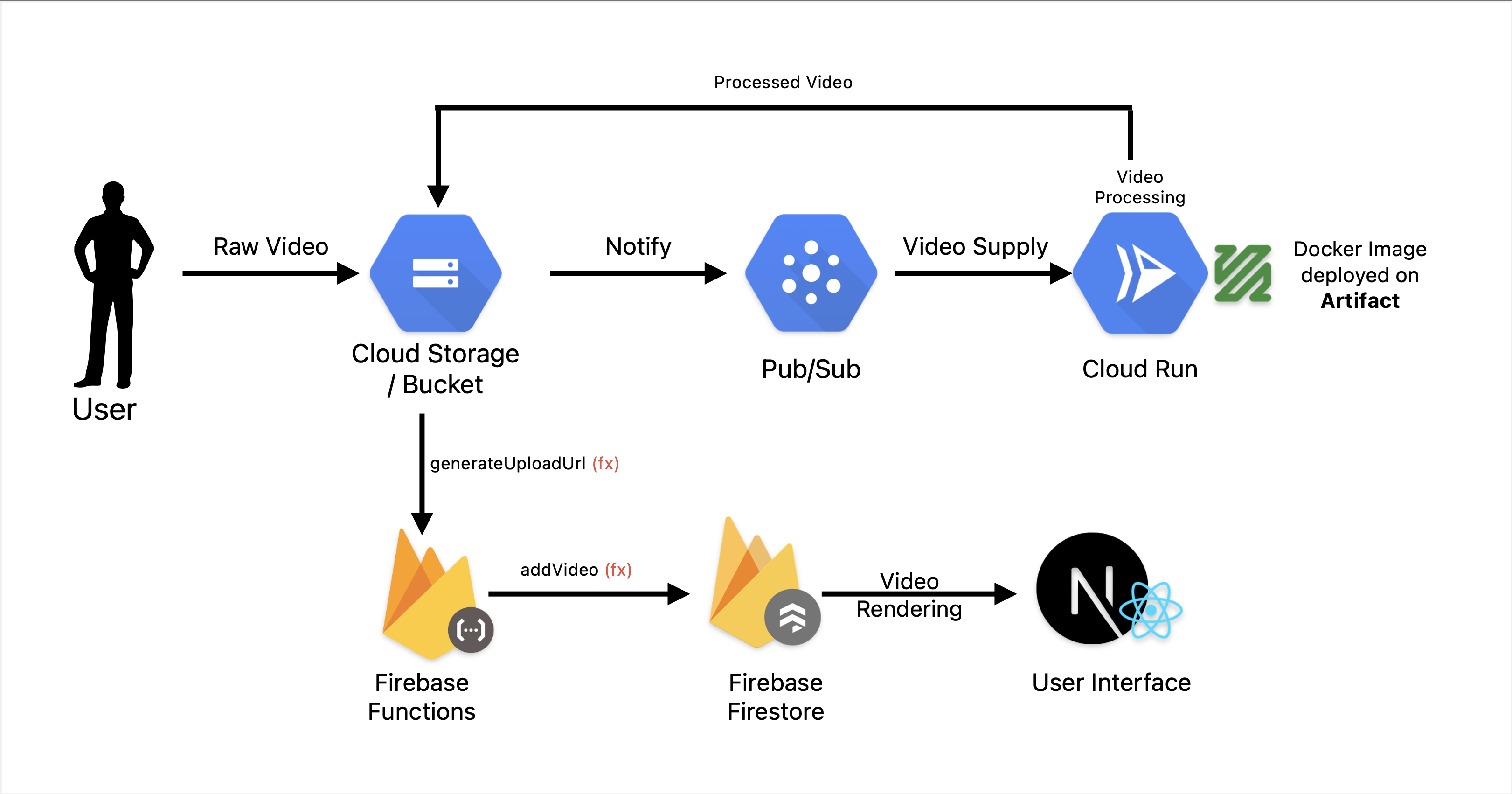
Video Processing Service
# youtube-clone/video-processing-service
npm init -y
npx tsc --init
npm i express @types/express
npm i -g ts-node
npm i fluent-ffmpeg @types/fluent-ffmpeg
npm i @google-cloud/storage
npm i firebase-admin
- Also install ffmpeg system
# For mac using brew
brew install ffmpeg
Deploy to Firebase
Sign in to console.firebase.google.com and create a new project, analytics diabled, can be enabled for better experience
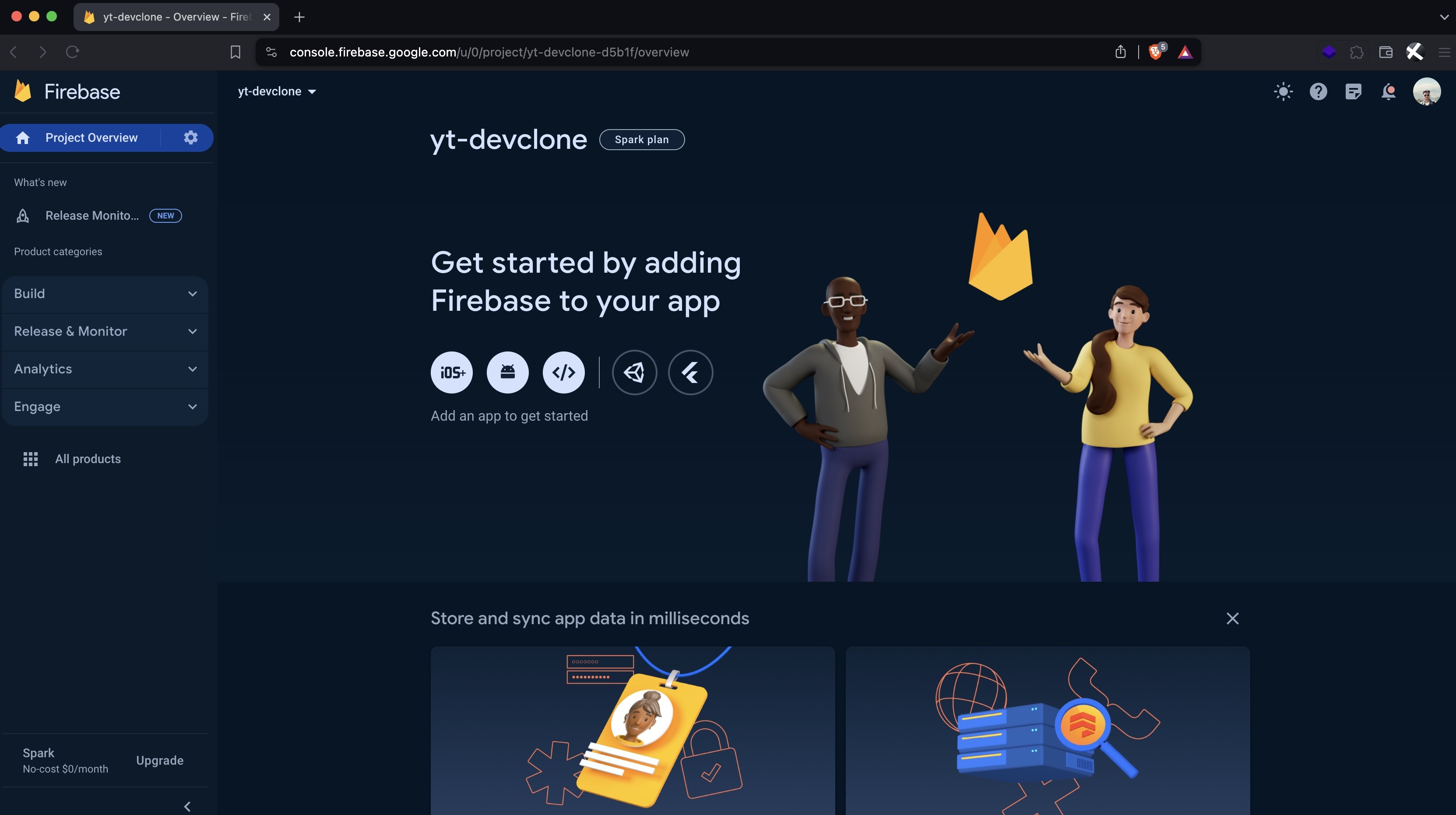
Project ID: yt-devclone-d5b1f
Setup Cloud
Enable Artifact Registry API on cloud to store docker image
Login cloud CLI locally
# Login to account
gcloud auth login
- Set the project
# Set project id
gcloud config set project yt-devclone-d5b1f
- Update the components
gcloud components update
Create repository on Artifact
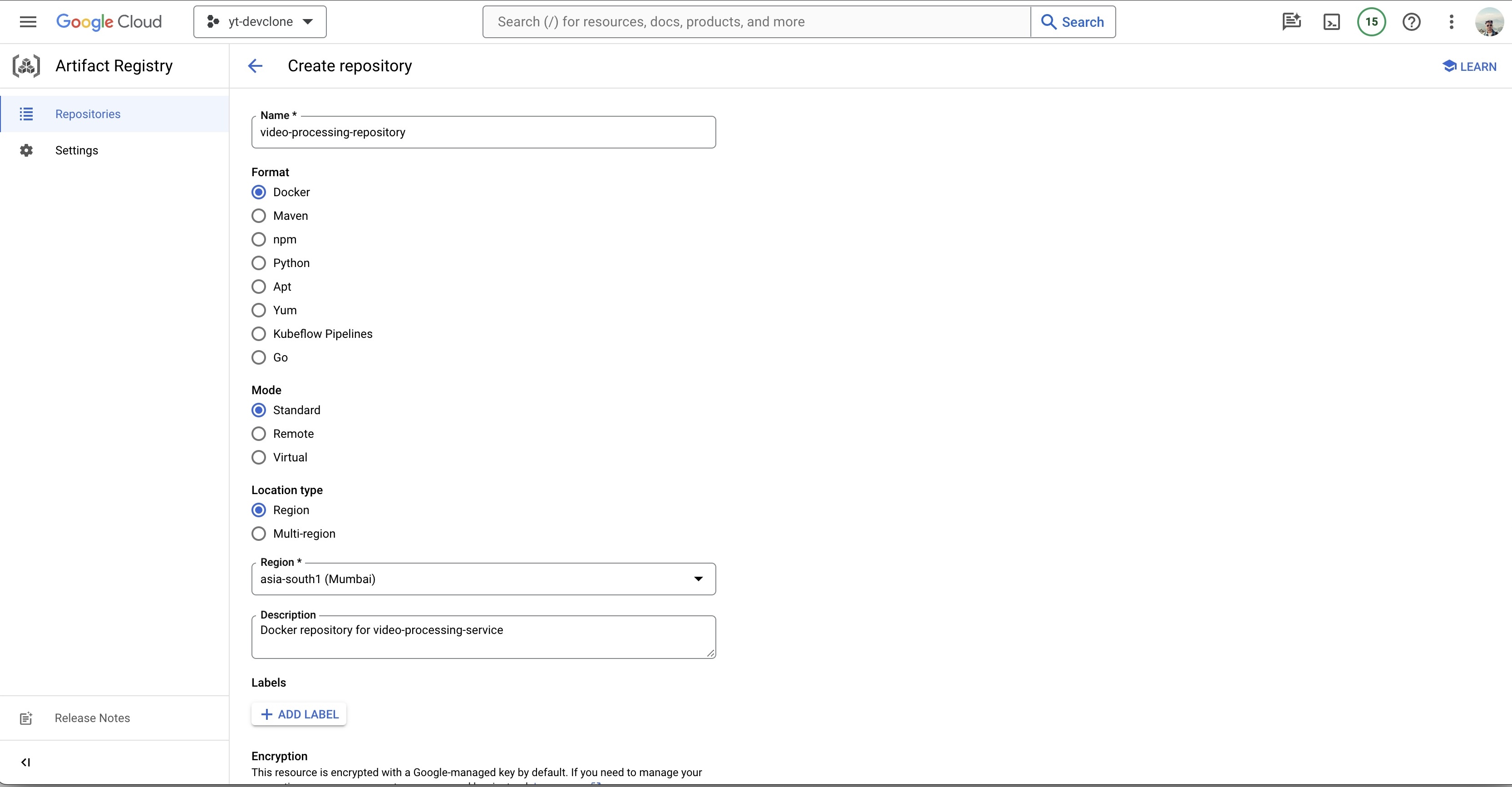
Repository created
Create 2 buckets (should be unique all over GCP)
- ytclone01-raw-videos-bucket
- ytclone01-processed-videos-bucket
- Config for Raw Bucket
ytclone01-raw-videos-bucket
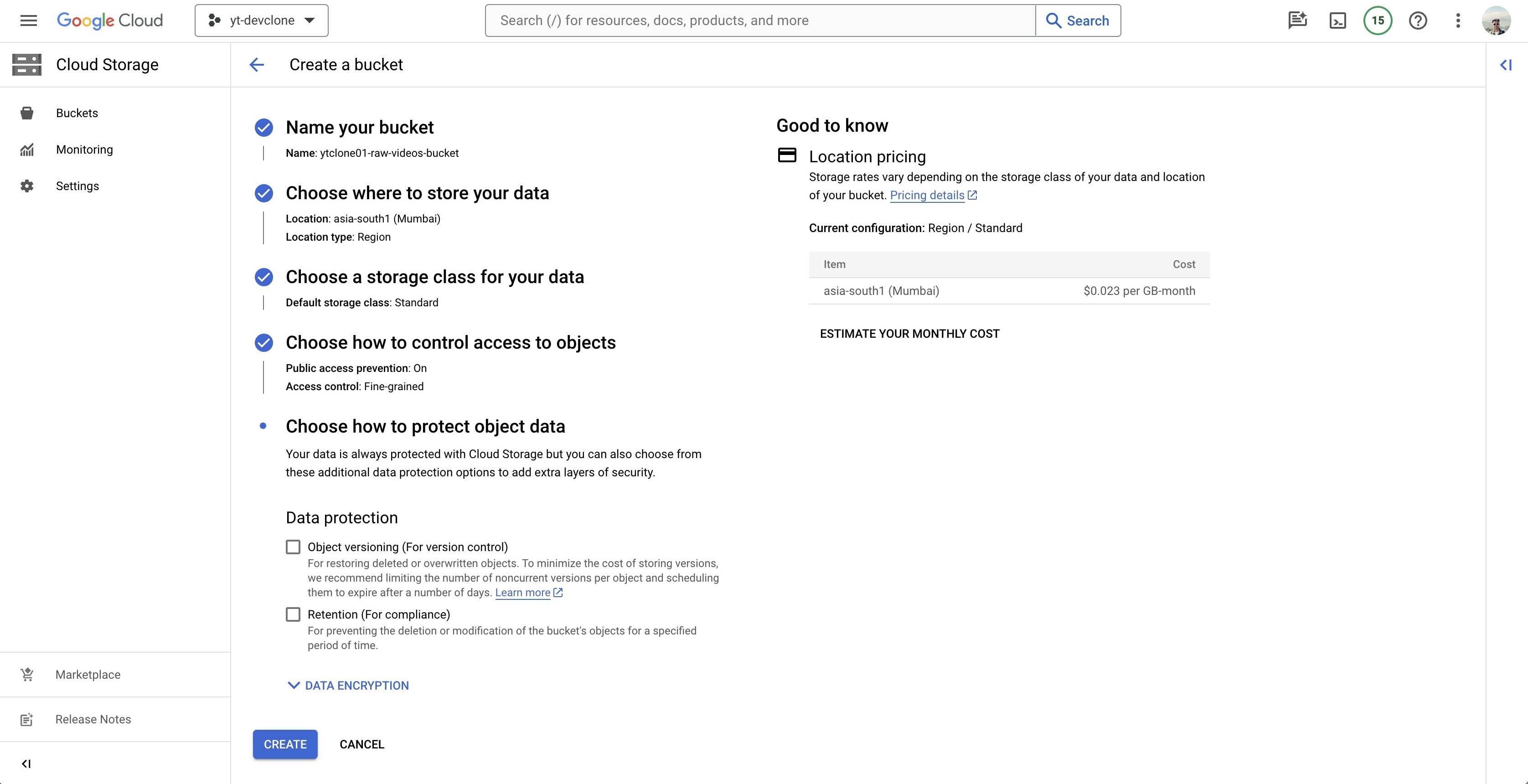
- Config for Processed Bucket
ytclone01-processed-videos-bucket
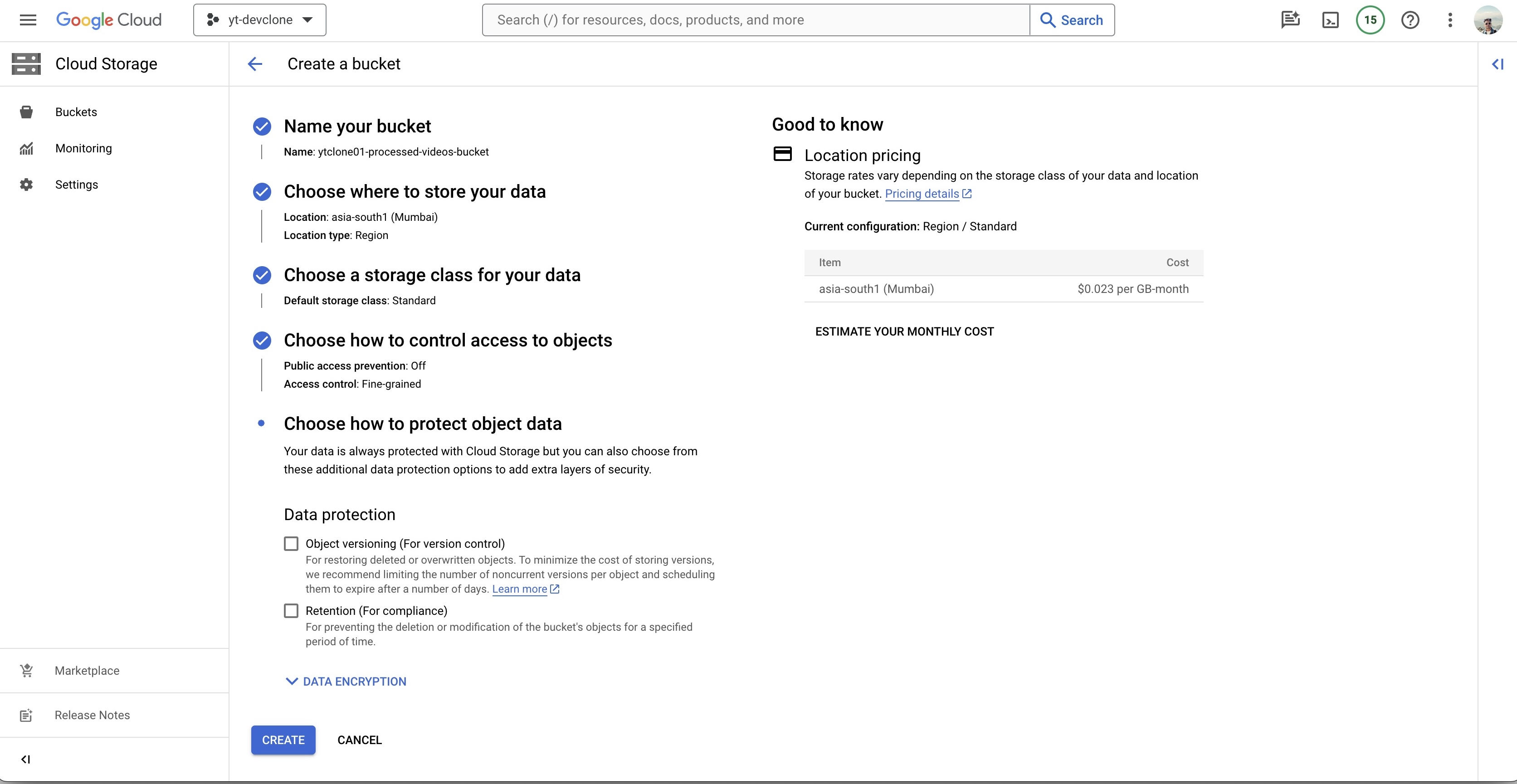
Video-processing-service Code
- video-processing-service code is available here
Create docker image and push to artifact
Dockerfile
# Stage 1
FROM node:20 AS builder

WORKDIR /app
COPY package*.json ./
RUN npm install -g typescript
RUN npm install

COPY . .

RUN npm run build

#Stage 2
FROM node:20

RUN apt-get update && apt-get install -y ffmpeg
WORKDIR /app
COPY package*.json ./

# Install only production dependencies
RUN npm install --only=production

COPY --from=builder /app/dist ./dist

# Expose the port
EXPOSE 3000
CMD [ "npm", "run", "serve" ]
Docker image build and push to the docker repository, change location and respective fields as per your configuration.
sudo docker build --platform=linux/amd64 -t asia-south1-docker.pkg.dev/yt-devclone-d5b1f/video-processing-repository/video-processing-service .
- Authorize docker to push images to gcloud
gcloud auth configure-docker asia-south1-docker.pkg.dev
- Push the docker image to Artifact
docker push asia-south1-docker.pkg.dev/yt-devclone-d5b1f/video-processing-repository/video-processing-service
Image pushed successfully
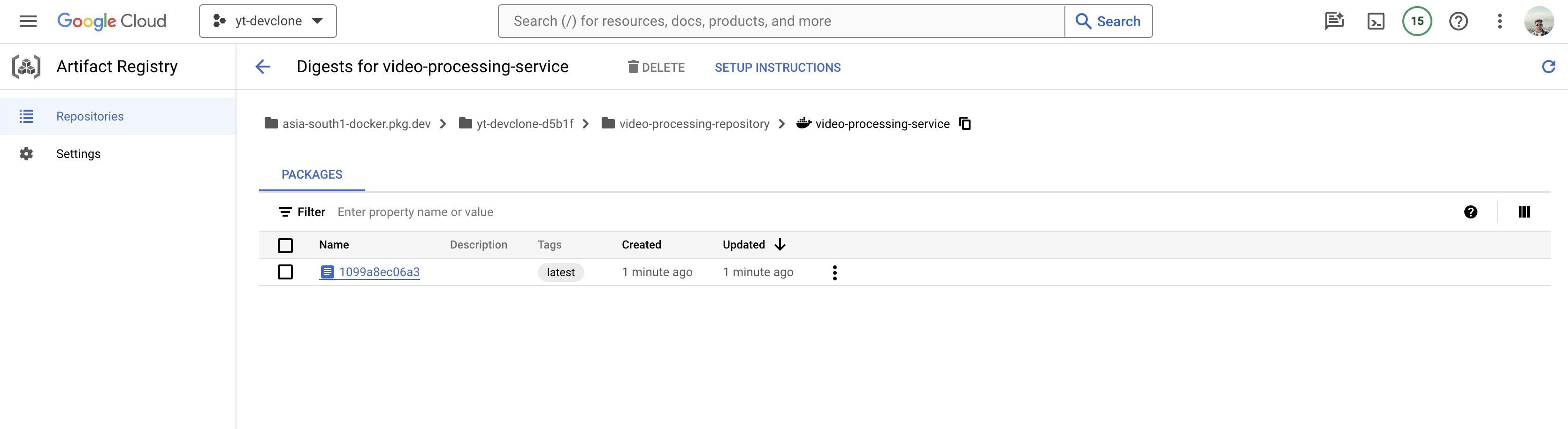
Cloud Run and Pub/Sub Config
Create Cloud Run service to run the docker file
- Select the image from Artifact
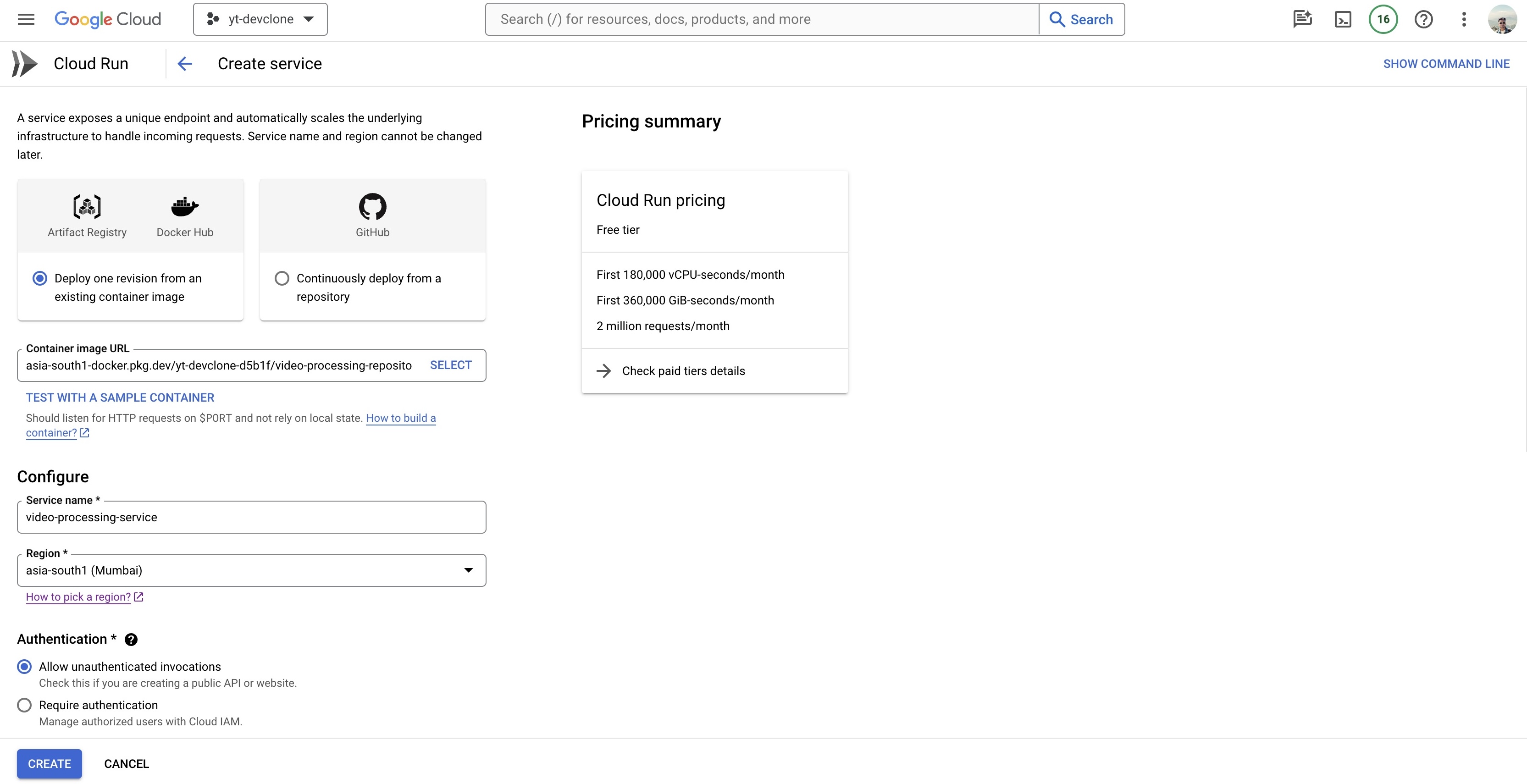
- Set Authentication to "Allow unauthenticated invocation"
- Set CPU allocation and pricing to "CPU is only allocated during request processing"
- Revision autoscaling can be set as per requirement, I will go with min 0, max 1
- Set Ingress Control to "Internal" and create the function.
Copy the URL of the Cloud Run
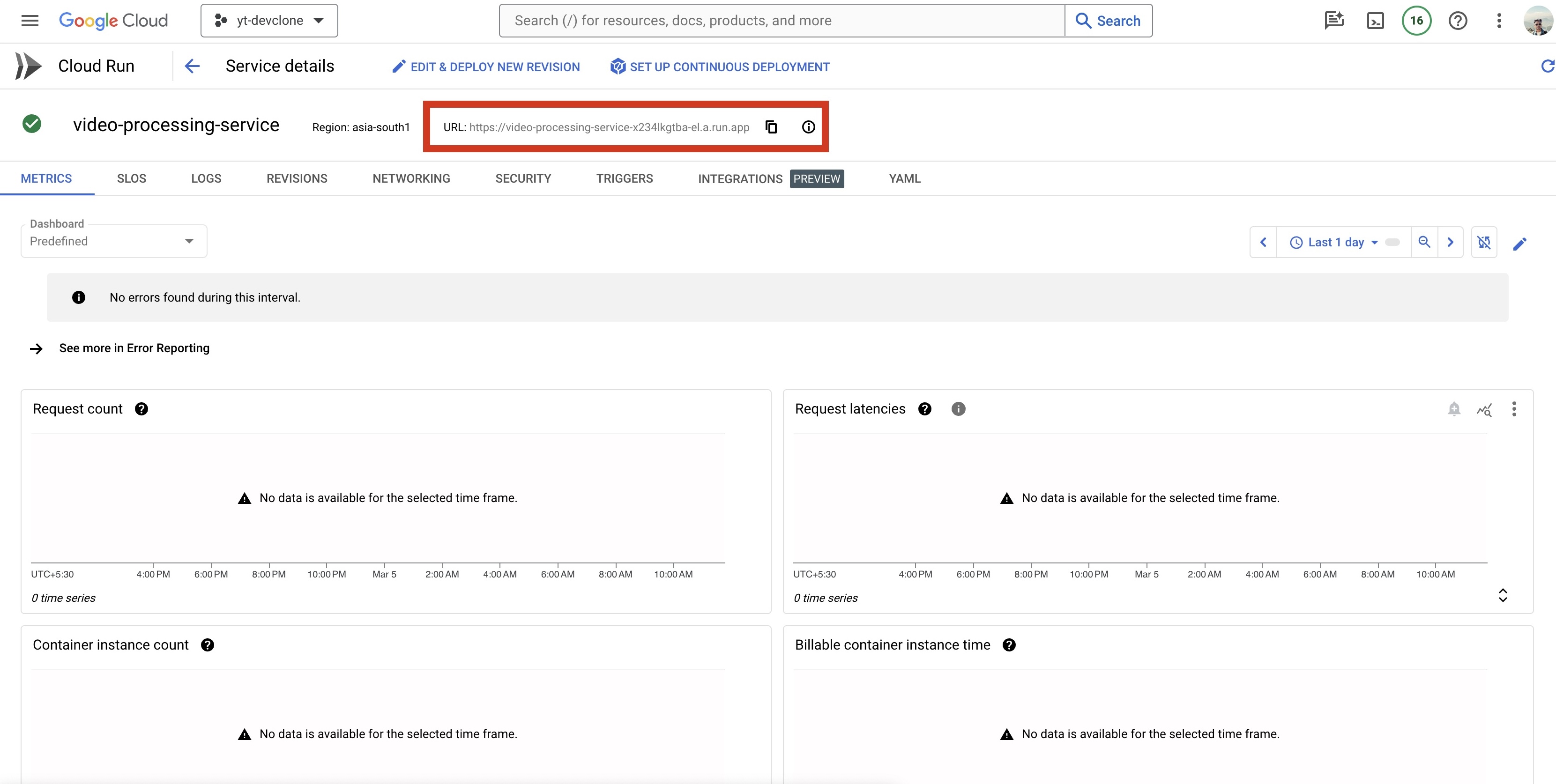
Create a Pub/Sub
- Create a TopicCreate Subscription
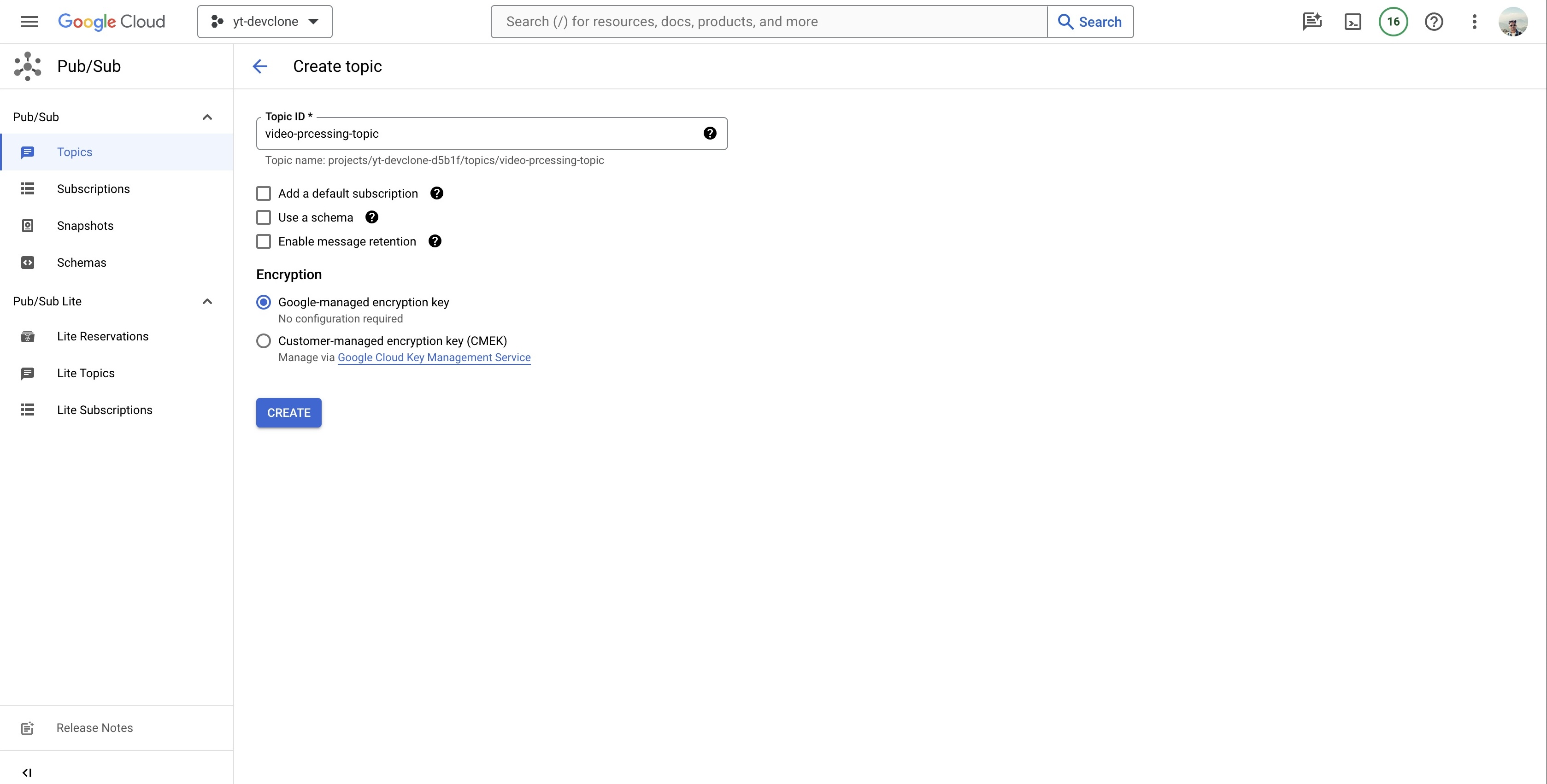
- Create Subscription, add the url of cloud run in endpoint url along with
/process-videoendpoint
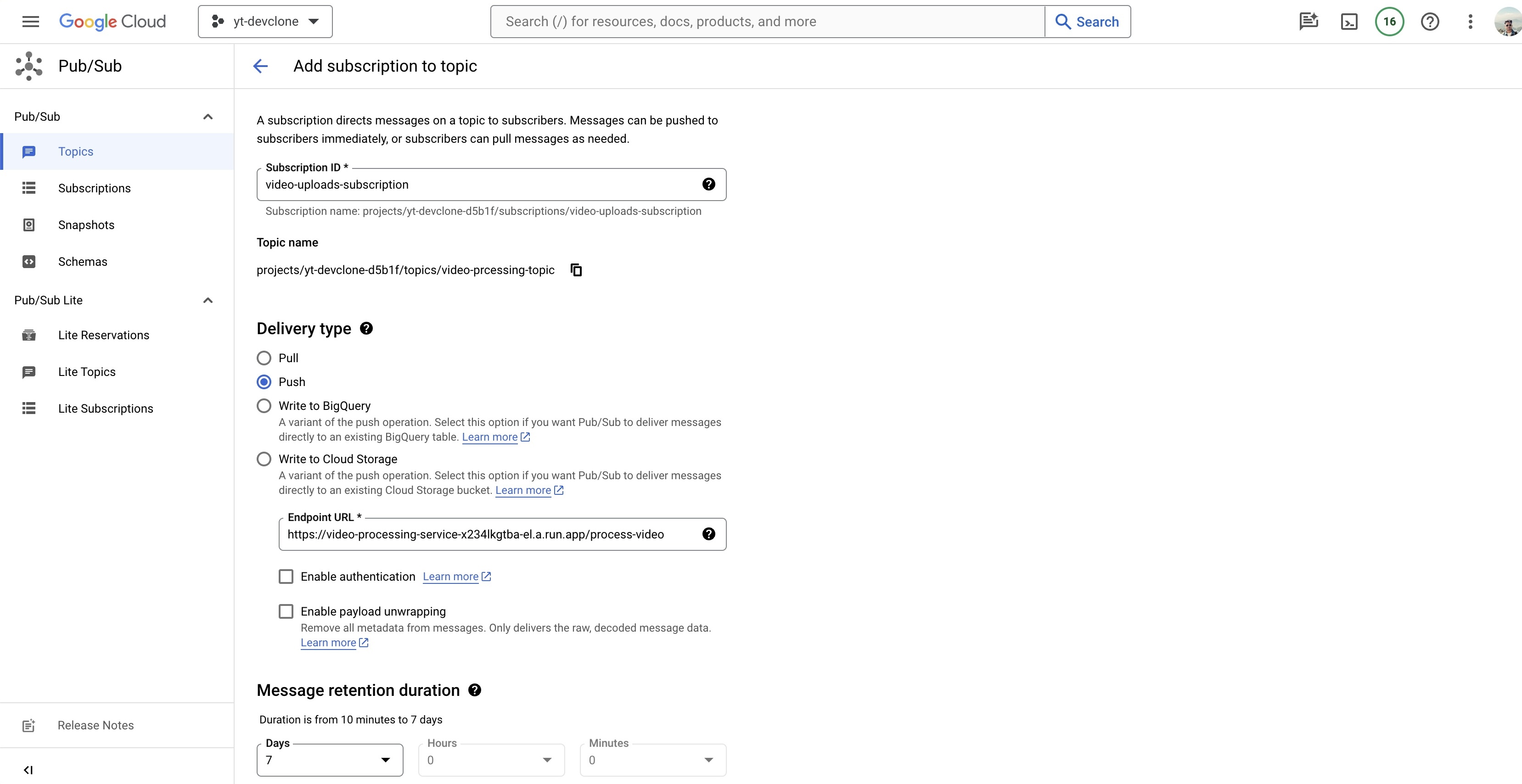
- Create a subscription ID
- Set Delivery Type to "Push"
- Add the Endpoint URL suffix with
/processing-video - Message retention duration "7 Days" by default values
- Expiration period set to "Never expire"
- Set Acknowledgement deadline to "600"
- Leave rest to default and create the subscription
Add a notification
VIP STEP
gsutil notification create -t video-processing-topic -f json OBJECT_FINALIZE gs://ytclone-raw-videos-bucket
WEB-APP
- Frontend is Nextjs App that uses Reactjs, Tailwindcss for rendering of the transcoded videos and user authentication.
Get the code here
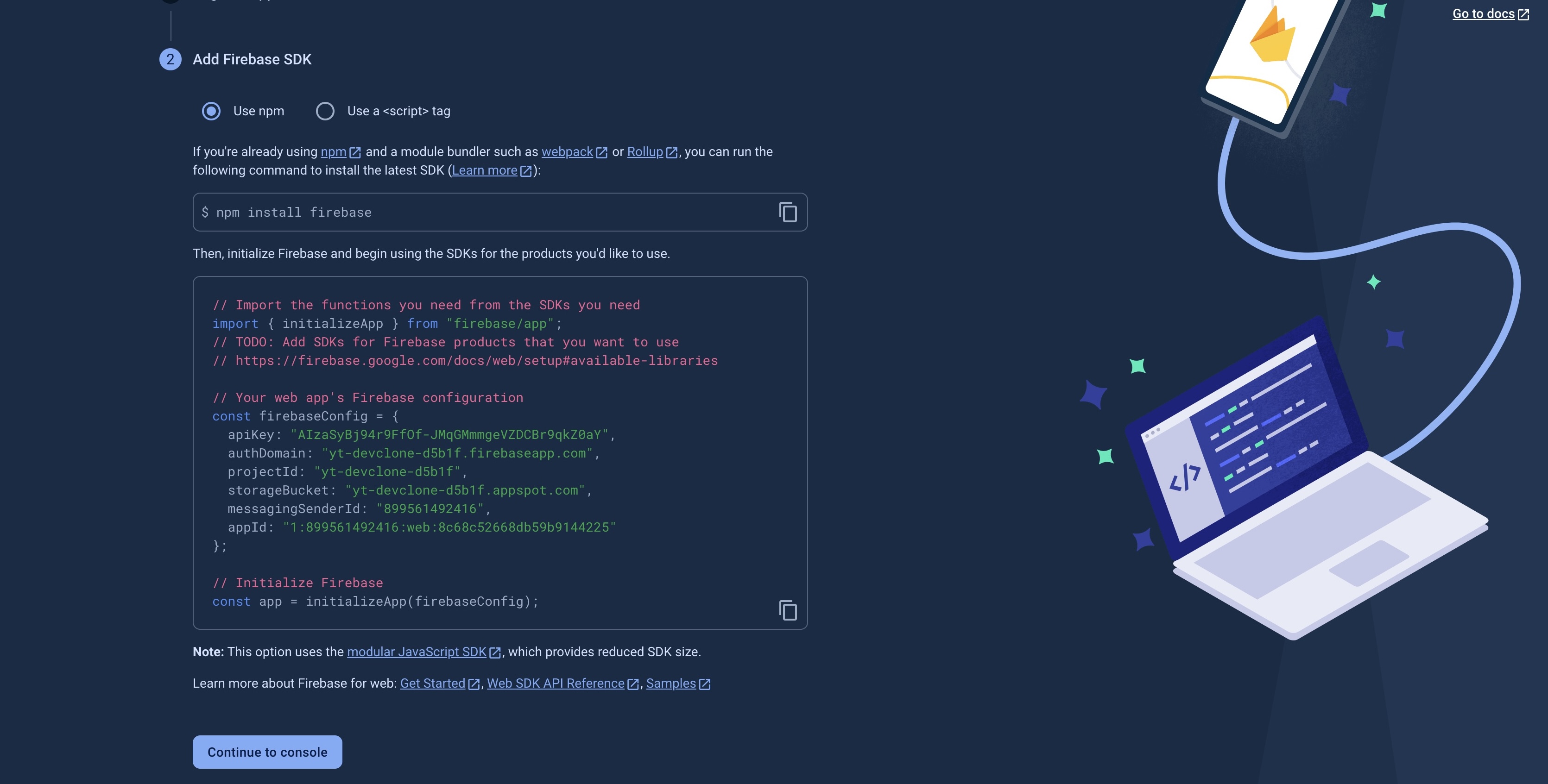
Generate Firebase SDK for the web-app
- In firebase, click on webapp and continue to generate the SDK for your frontend app.
- Add these to the frontend code base
yt-clone-frontend/firebase
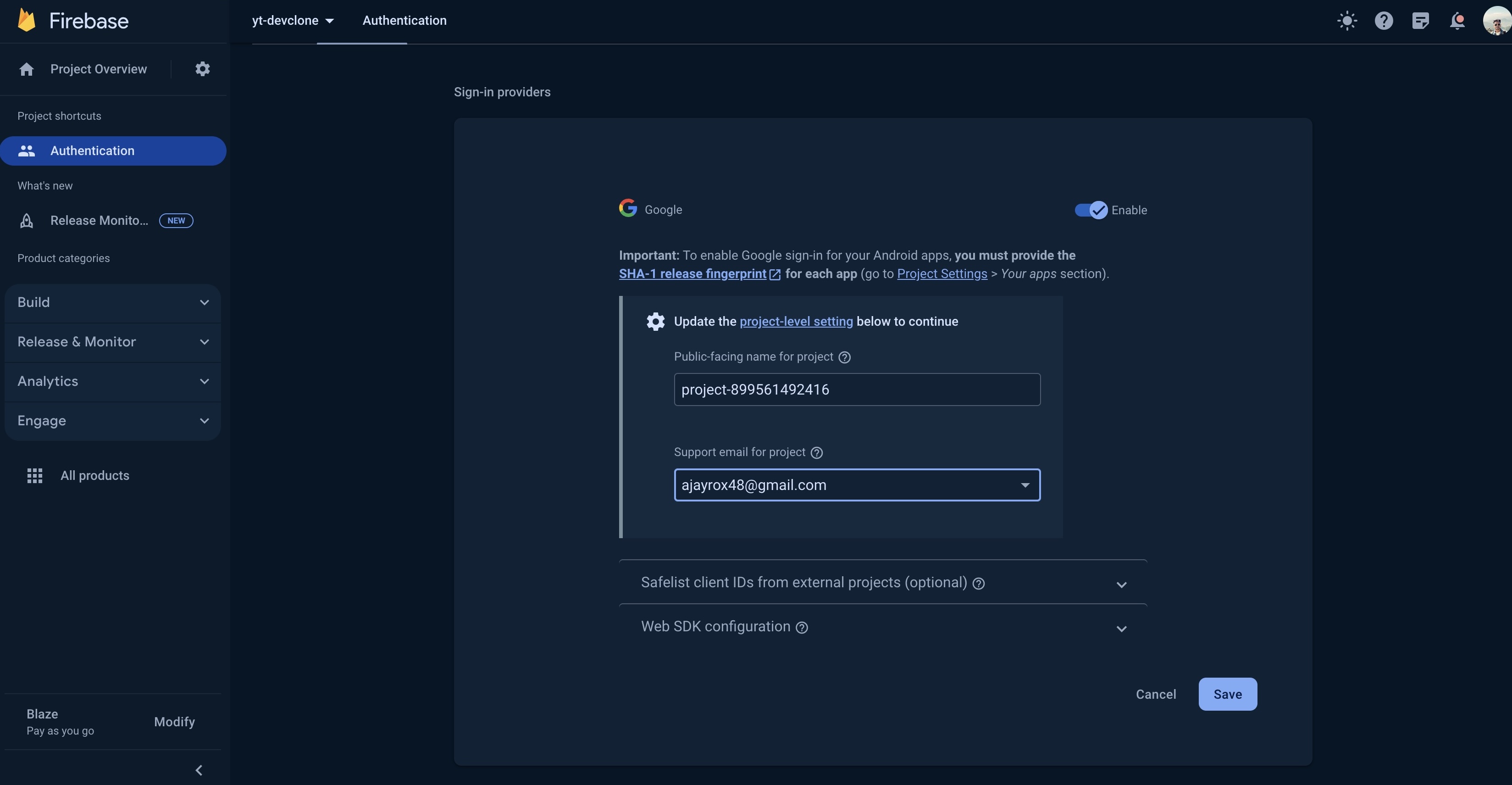
Add Authentication in Firebase
Create Firestore Database
- Create a firestore database in production mode for user data storage.
Firebase API Service
Install firebase-tools globally
$ npm install -g firebase-tools
Login to firebase
# youtube-clone/yt-api-service
firebase login
Init the firebase api service
firebase init functions
-- select the existing project
-- select Typescript
-- select EsLint yes
Install functions and admin
npm i firebase-functions@latest firebase-admin@latest
- Get the yt-api-service here
Deploy the functions
npm run deploy
# To separately deploy the functions
firebase deploy --only functions:GenerateUploadUrl
After deployment, it should reflect as this on cloud

Copy the service url of GenerateUploadUrl function to access the raw bucket, copy it from here
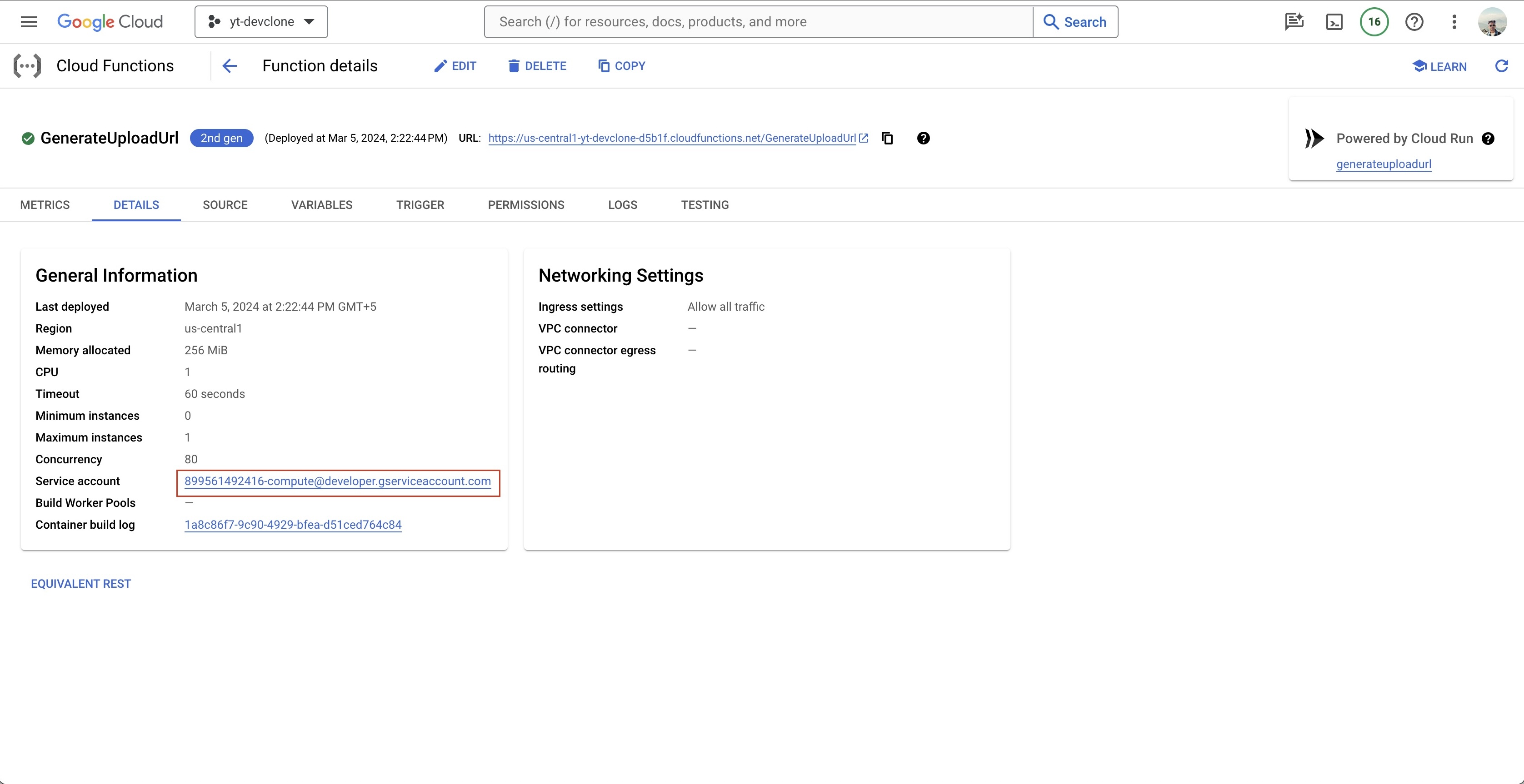
Go to raw bucket → Permissions
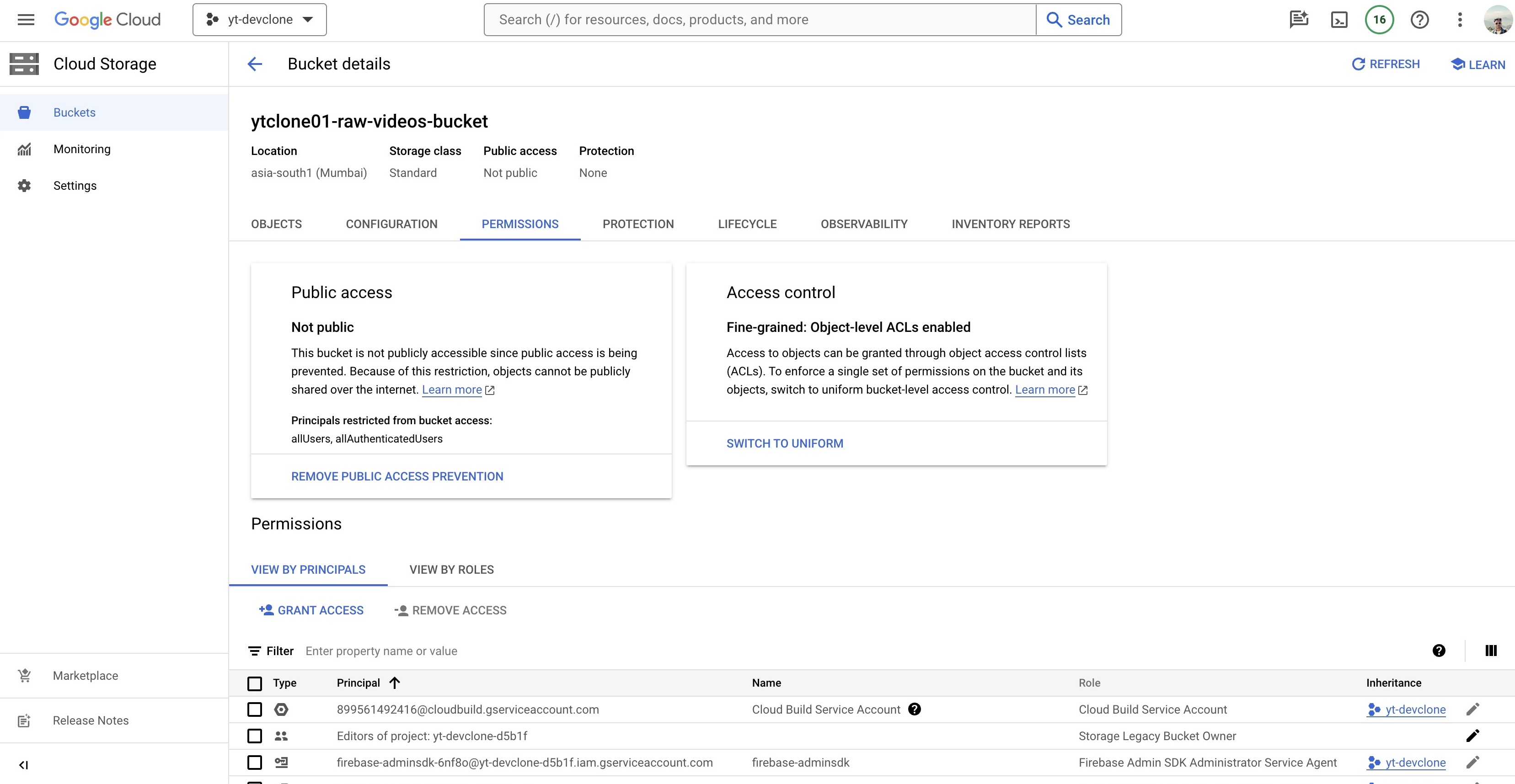
Add the service url and add role Storage Object Admin
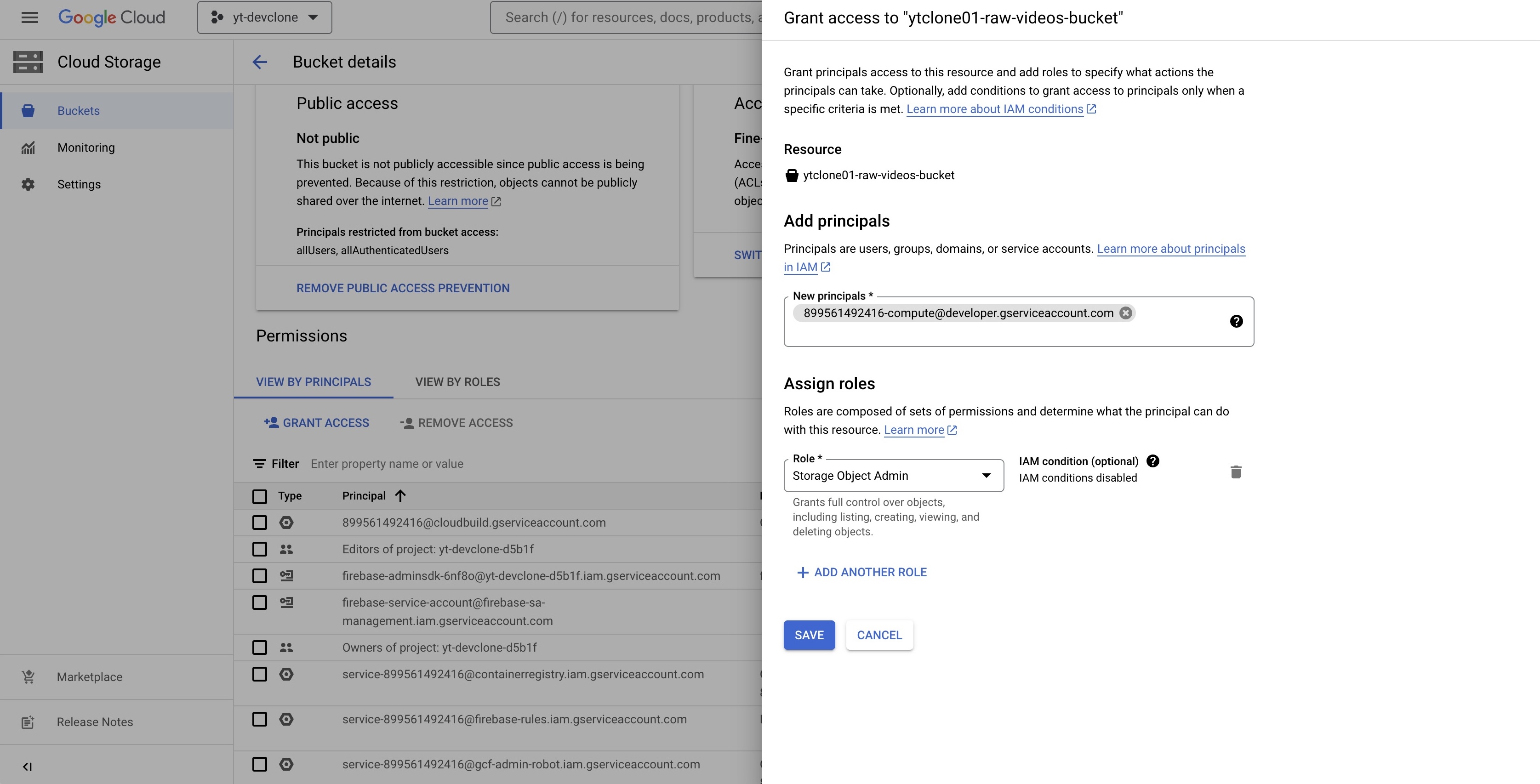
Got IAM & Admin
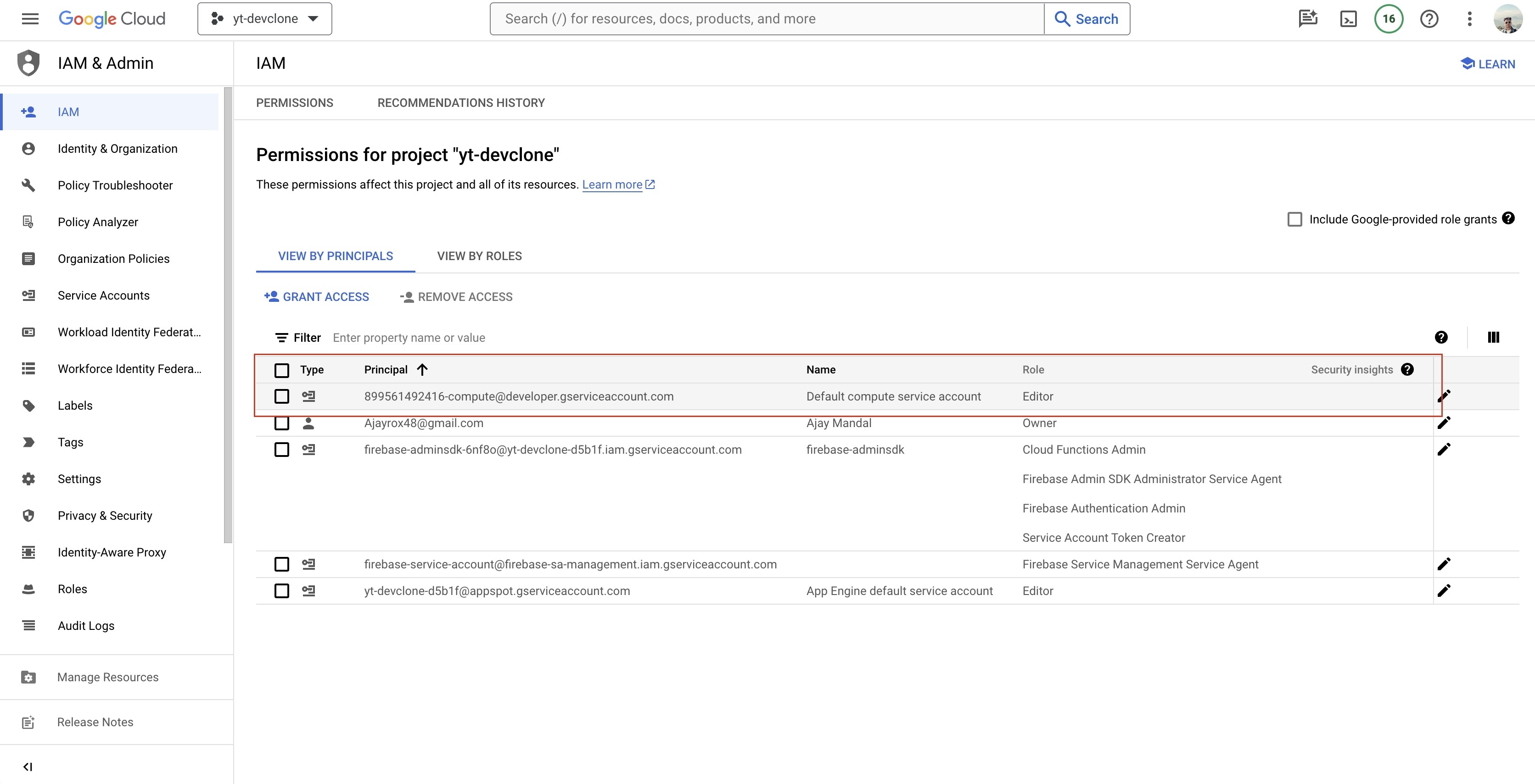
Grab the same service url and add one more role, Service Account Token Creator
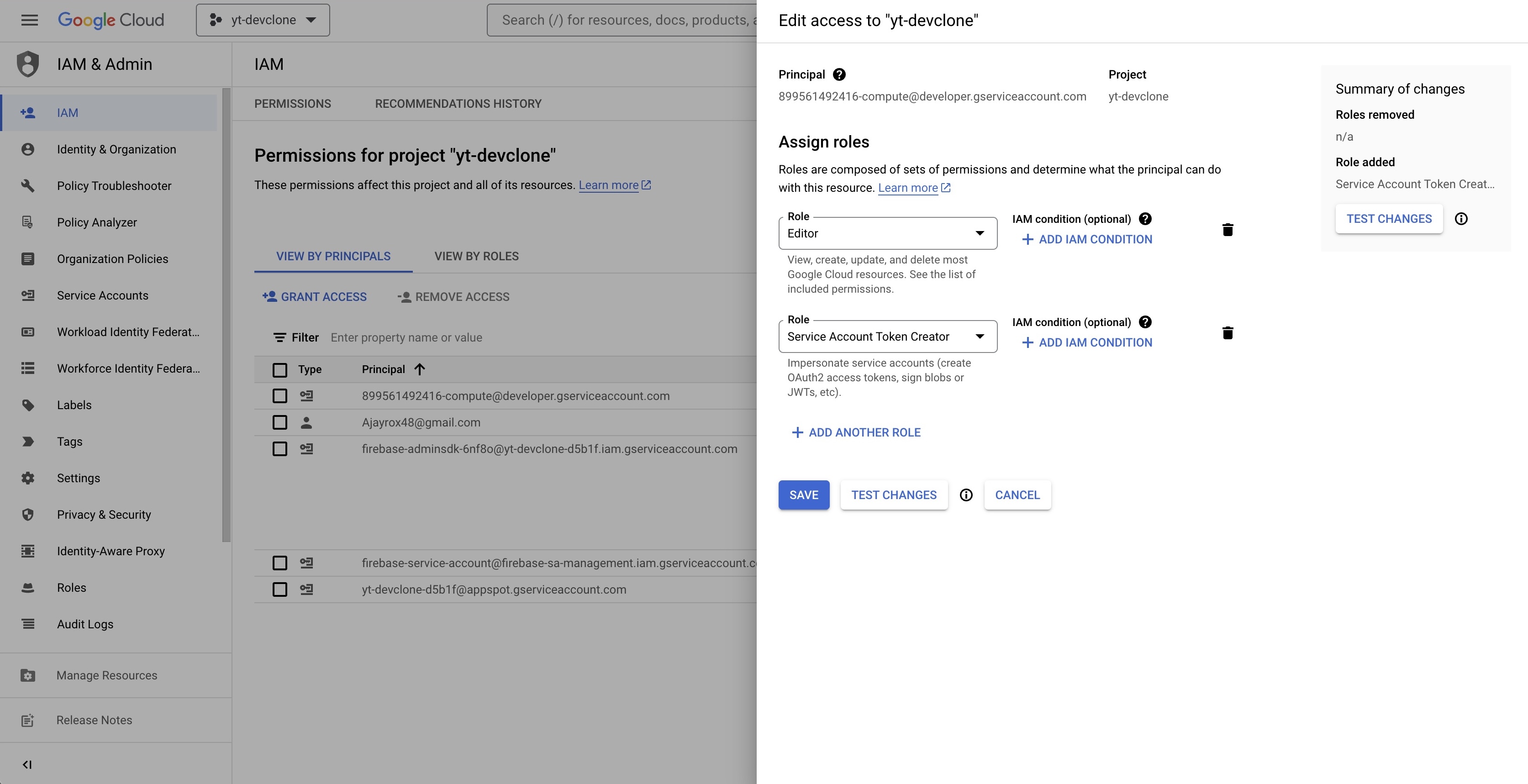
Add cors policy
youtube-clone/utils/gcp-cors.json
[
  {
    "origin": ["*"],
    "responseHeader": ["Content-Type"],
    "method": ["PUT"],
    "maxAgeSeconds": 3600
  }
]
Implement this cors policy
gcloud storage buckets update gs://ytclone-raw-videos-bucket --cors-file=utils/gcs-cors.json
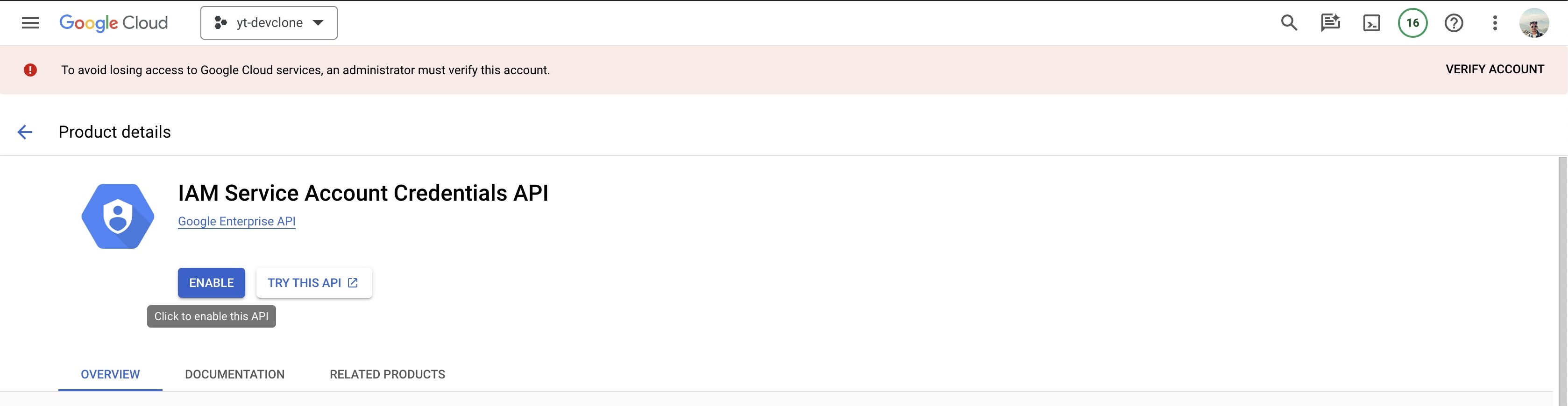
Enable IAM Service Account Credentials API
Add .env.local file with following attributes in frontend app
NEXT_PUBLIC_FIREBASE_API_KEY=BCdeFgHiJ0kLmNOP1qR9sTuv2Wxy2Za8B2C5dEf
NEXT_PUBLIC_FIREBASE_AUTH_DOMAIN=yt-clone-64927.firebaseapp.com
NEXT_PUBLIC_PROJECT_ID=yt-clone-64927
NEXT_PUBLIC_APPID=1:101057801427:web:g3b15bf505e28f54afd9db
NEXT_PUBLIC_VIDEO_PREFIX=https://storage.googleapis.com/ytclone-processed-videos-bucket/
You are good to go, deploy the frontend on platform like vercel, or you can create a docker image for same and deploy through Artifact on GCP.